






3D Configurator
Choose a CNC machine or create a custom configuration

Select single or dual operation machining

We’re loading the machine library, automation options, and interactive 3D viewer.
This usually takes about a minute on first load.
GripFlipGrip™ Workflow
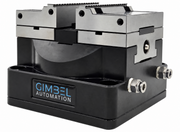
Gripper Loads the Part and AutoVise™ Clamps It
Fully automatically using our automated program templates, the gripper grabs the component from the stock tray and loads it into the Op1 AutoVise™ where it's clamped and machined.
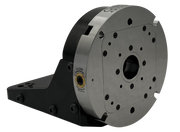
Gripper Grabs, QuickFlip™ Flips, and Gripper Regrabs
The integrated QuickFlip180 leverages that remaining top hat on the stock. Automatically flips it over and then regrabs the component, getting it ready for automated Op2 machining.
Flipped Part Loaded for Op2 and Machined
After the part is flipped, the flipped component is automatically loaded into the OP2 vise soft jaw and then automatically machined, leaving a 100% complete, ready-to-use part.
Automated Repeating Part Production
This process automatically completes until you have an entire tray or magazine full of finished, ready-to-use components.
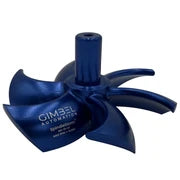
Load Stock into Part Loading Tray
Remove the finished, fully machined parts from the last run, and drop in your raw stock. Since there's no clamping and all the pins instantly align your stock, this step usually takes less than 5 seconds per part.